Your recovery.
In context.
Keep Bevel or Athlytic for your daily view. Bring the Apple Health measurements behind your routine to the AI you choose.
See the setupFor iPhone. Check your AI account and records.
 HealthSync→ Your AI
Sleep, heart and training. In context.
Selected records.Approved by you.
Go back to the measurements.
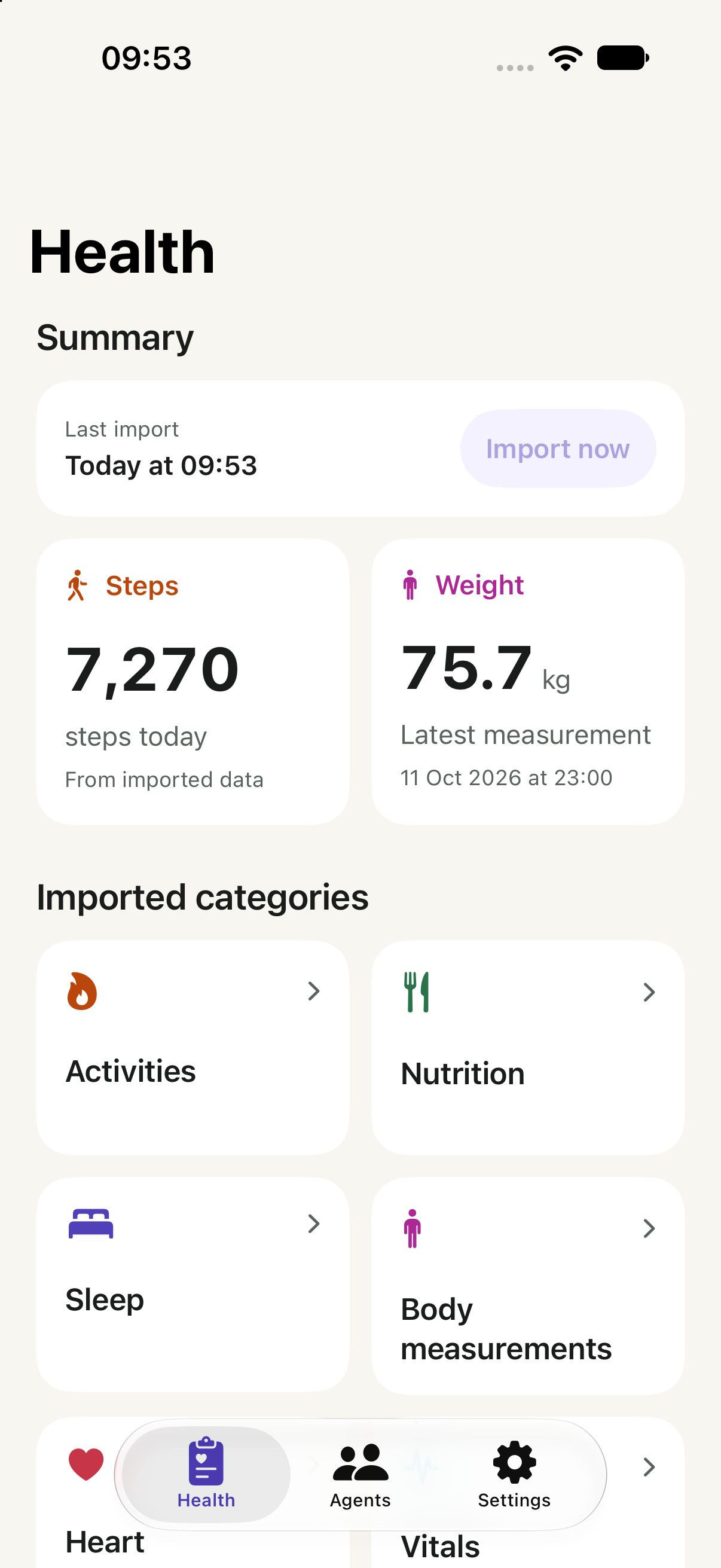
Bevel and Athlytic interpret Apple Health data. HealthSync can share supported records from that same source, so your agent can review sleep, heart measurements and workouts together.
HealthSync does not access Bevel or Athlytic accounts. Do not expect their proprietary recovery, strain or readiness scores unless an app actually writes a supported record to Apple Health.
Check before
you start.
Confirm your records and your destination before connecting.
Start with a measurement
Find a recent sleep, resting heart rate or HRV entry in Apple Health. Check its date and device, then import that category into HealthSync. A Bevel or Athlytic score does not establish that the underlying record is available.
Using Claude?
Open Customize → Connectors. Look for + Add → Add custom connector. An organisation owner may need to add it first.
Claude documents custom connectors on Free, Pro, Max, Team and Enterprise; Free allows one. Your workspace can restrict access.
Check Claude’s current account and setup requirements ↗
Provider documentation checked 20 October 2026. Account eligibility is separate from a completed HealthSync connection.
Using another AI client?
Check its remote MCP and OAuth support against the client requirements. In HealthSync, open Agents and follow the guide for that provider. Support for MCP alone does not confirm compatibility with HealthSync.
Find records and sources in Apple Health ↗. Depending on iOS, open Search or Browse, then the category and measurement.
Ask with context.
Choose an example to see what context you could share.
Compare my sleep and workouts over the past two weeks. Show the dates and note missing data before describing any patterns.
Context to share
Sleep sessions and workouts
Know what
comes through.
Only supported records in Apple Health, within the access you approve.
Available with your permission
- Sleep records
- Supported sessions and stages already in Apple Health.
- Heart measurements
- Available HRV and resting heart rate records, with their sources.
- Workouts
- Supported workouts and activity history you approve.
The limits matter
Proprietary recovery scores
Bevel and Athlytic calculations are not the same thing as their Apple Health inputs.
A replacement coach
HealthSync supplies records. It does not prescribe training or generate medical advice.
From records.
To your AI.
Import your records, connect your AI, then choose when to share.
Check your Apple Health records
Confirm that your watch or device has written sleep, heart and workout records to Apple Health. Choose the supported categories you want to import into HealthSync.
Choose your agent
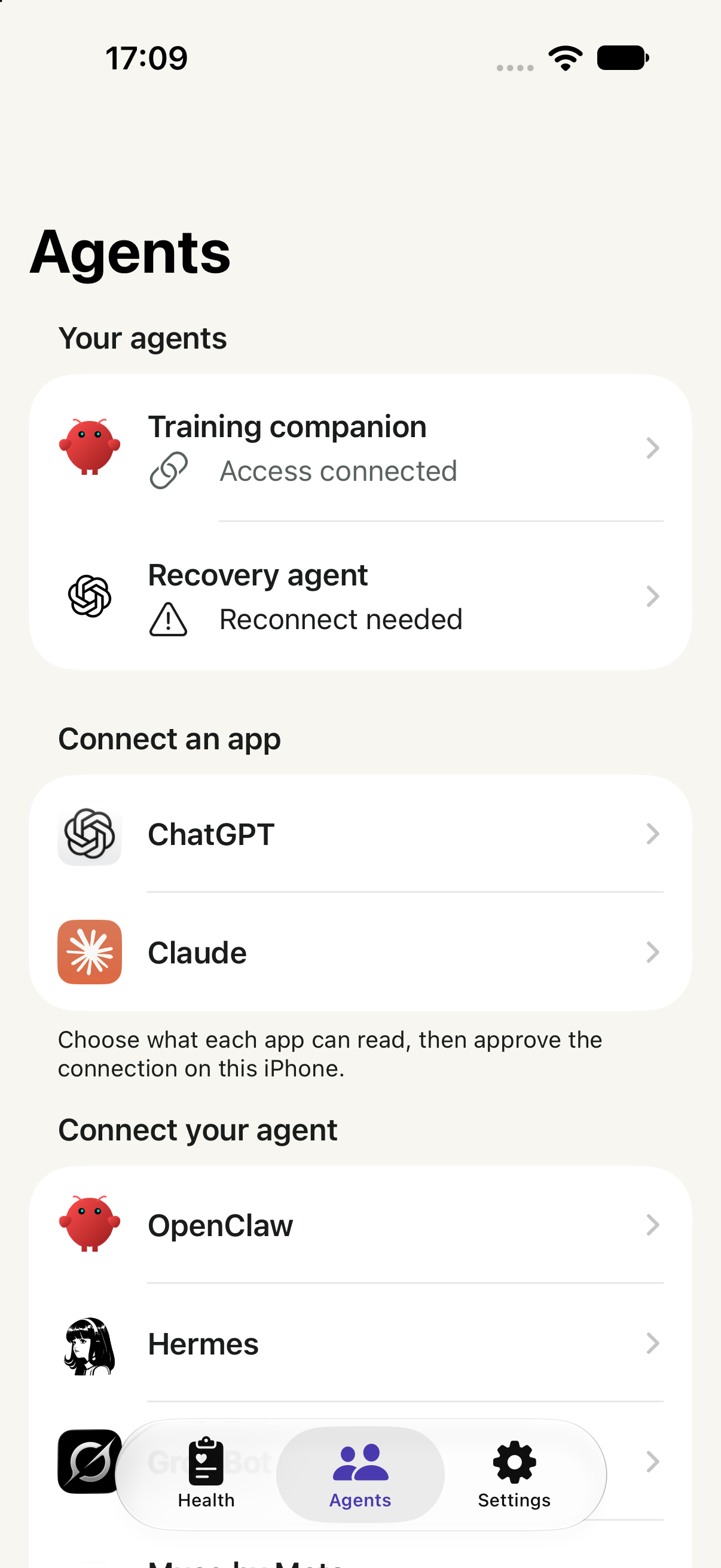
Open Agents in HealthSync and follow your provider’s guide. In Claude, open Customize → Connectors → + Add → Add custom connector. Enter the address below and use OAuth sign-in.
For Team or Enterprise, an organisation owner may need to add the connector first. Check your account.
Review access on iPhone
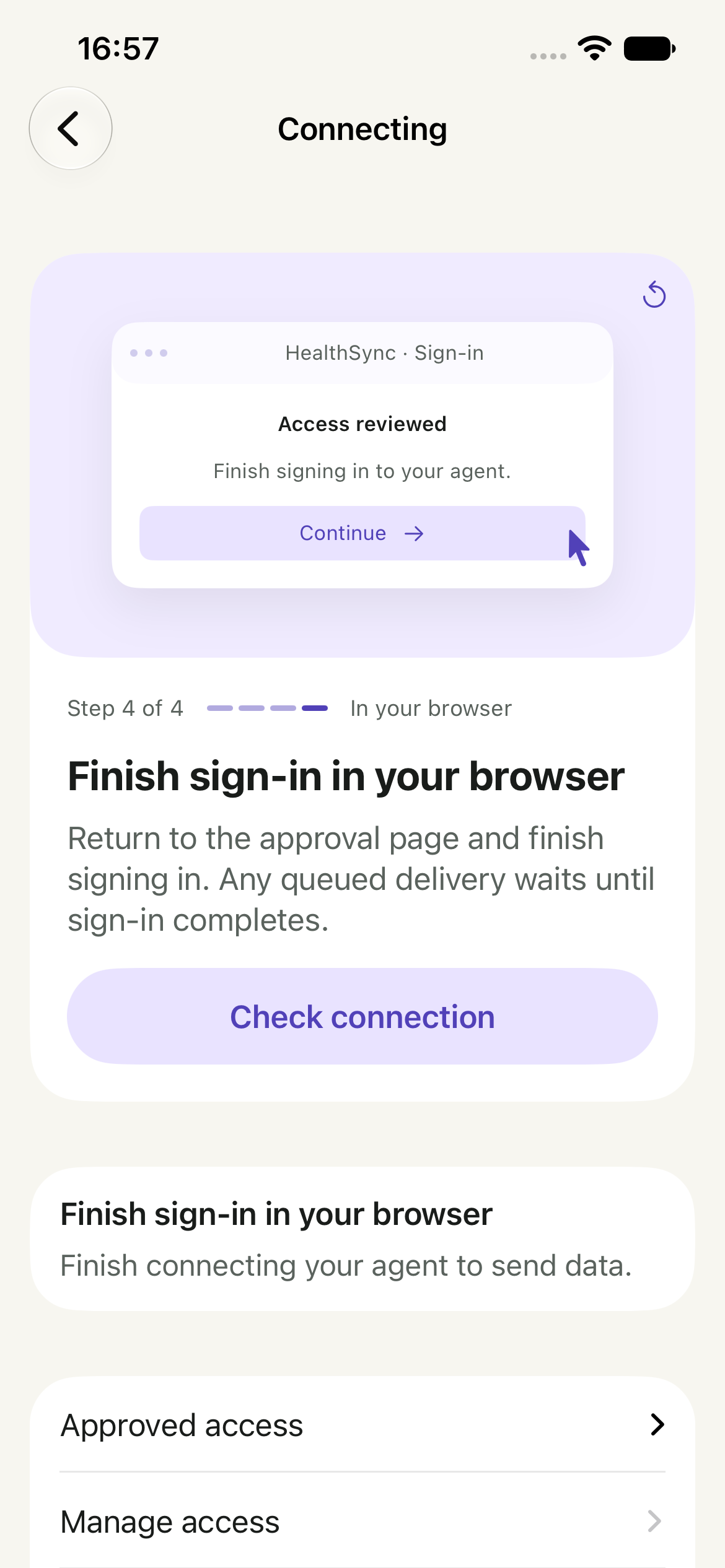
Open HealthSync from the approval page. Review the recipient, purposes and categories. Choose one of the sharing paths below, then return to the original browser to finish sign-in.
Approval, browser sign-in and receipt of your records are separate states.
HealthSync’s remote MCP address
https://api.healthsync.me/mcpChoose when to share
Share now
Choose Connect & share data. This queues a one-time send of your selected records after you finish browser sign-in. Recent data can become ready while older history imports.
Connect first
Choose Connect without sending. After browser sign-in, return to Agents → your connection → Send data in HealthSync when you are ready. Connecting alone sends no records.
When HealthSync shows the data is ready, enable the connector in your AI conversation and ask a question. Only a confirmed receipt means the agent retrieved it. Recurring updates are a separate choice.
Connected, but your agent has no data?
Check that the records exist in your HealthSync library, that this connection can read their categories, and that browser sign-in is complete. If you connected without sending, choose Send data. Follow the connection’s status or retry guidance, then ask the agent to read HealthSync again.
App captures use illustrative data.
Your records.
Your decision.
A library on your iPhone. Access for the agent you approve.
Sending selected records uses HealthSync’s cloud service. Temporary transfer copies are removed after confirmed receipt or expire after seven days. Copies your agent receives follow that provider’s policies.
You can narrow, pause or revoke an agent’s access in HealthSync.
Read the privacy policy ↗Before you connect.
Can I ask Claude about my Bevel recovery score?
Do not assume HealthSync can retrieve it. This connection reads supported Apple Health records, not Bevel’s internal calculations or account.
Does this work with Athlytic too?
Athlytic uses Apple Health data. HealthSync can offer your chosen AI the supported underlying records, with your permission. It does not recreate Athlytic’s scores.
Can I compare data from different wearables?
An agent can review the records you share, but similar metric names can represent different methods. Keep sources separate and check the interpretation.
Can it tell me whether to train?
HealthSync is a data bridge. Any advice comes from your AI provider, and the available records may be incomplete. It does not diagnose conditions or prescribe training.