Your health apps.
Your data.
Your AI.
Keep the apps you love. Bring your health data to the AI you choose.
Your apps can sync to Apple Health, but your AI still needs a way in. HealthSync makes that data available to you and your agent, with your permission.

Keep your favourite apps.
Choose your own AI.
Control what you share.
Start with
your apps.
Check the records you can use, the limits that matter and how to connect.
Ask beyond
one app.
Your workouts live in one app. Your food in another. Bring the records they share with Apple Health into the same conversation.
How did my nutrition differ between workout days and rest days?
Choose which records to share, then ask in your connected AI. HealthSync supplies the data; your agent produces the answer.
A copy for you.
Context for your agent.
See the records behind the conversation. Import supported Apple Health data into your own iPhone library, with dates and sources you can browse.
Keep the history you need and download a copy for yourself. When you want to use it with an agent, choose the categories that agent can access.
See how your data is handled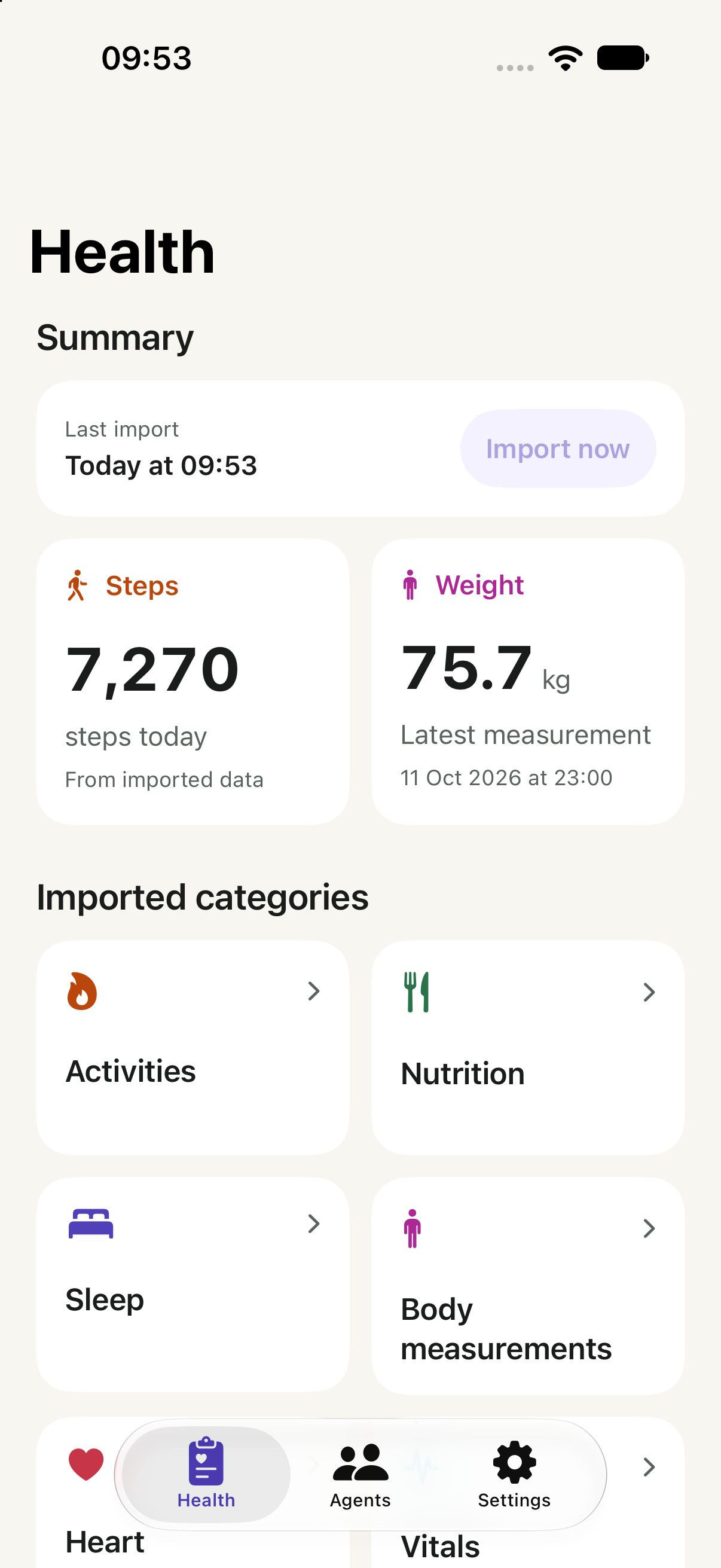
From your apps
to your AI.
Start with the records your apps have shared with Apple Health. Then make three choices.
Import what matters to you
Sign in with Apple, choose your data categories and review Apple Health access. HealthSync keeps your imported library on this iPhone.
Review your agent’s access
Follow the guide in Agents. On your iPhone, review the recipient, purposes and permitted categories. Choose Connect & share data for a one-time send, or Connect without sending.
Finish sign-in, then share
Return to the original browser to finish sign-in. A queued send can then start. If you connected without sending, open Agents → your connection → Send data when ready. Ask your AI once the records are ready.
Check Claude account requirements or your MCP client’s requirements before connecting. Only a confirmed receipt means the agent retrieved your records. Recurring updates are a separate choice.
Your data.
Your decisions.
Choose what to import, what each agent can access and when to send your records.
Ask a privacy question- A library on your iPhone
- Imported history stays in a local library on this device. Signing in does not back it up or copy it to another iPhone.
- Permission for each agent
- Choose categories for each connection. Pause sharing or revoke access in the app whenever you need to.
- Temporary copies when you send
- Sending uploads selected data through HealthSync’s cloud service. Transfer copies are removed after a confirmed receipt or expire after seven days.
- Clear deletion controls
- Manage your library and delete your account in Settings. Deleting HealthSync data leaves Apple Health originals intact. Copies already received by an agent follow that provider’s policies.
A few things to know.
Does HealthSync connect directly to Strava or MacroFactor?
HealthSync reads Apple Health, so first enable Apple Health sharing in your source app. Strava can send workout data, and MacroFactor can export nutrition data. HealthSync can use the supported records that arrive there and that you permit it to read. It cannot access data kept only inside another app.
What about Flo and cycle tracking?
Available data depends on what an app writes to Apple Health. Flo says menstrual data logged in Flo is not sent to Apple Health, so HealthSync cannot retrieve those records from Flo. It can only import supported cycle records already available in Apple Health, with your permission.
What do I need to use HealthSync?
An iPhone with Apple Health data and Sign in with Apple. To share with an AI agent, you also need a provider or agent that supports a compatible remote connection. Some providers restrict custom connectors by plan or workspace.
Does connecting an agent automatically share my data?
You choose. Connect & share data queues a one-time send after browser sign-in. Connect without sending approves access but sends no records; choose Send data from that connection later. Recurring updates remain optional. You can narrow, pause or revoke access in HealthSync.
What kinds of health data can I import?
Supported categories include activity, workouts, sleep, heart measurements, nutrition, body measurements and more. Availability depends on your iOS version and the records in Apple Health. Medication records, clinical Health Records and vision prescriptions are not supported.
Is HealthSync a medical or coaching app?
HealthSync imports and shares selected data. It does not diagnose conditions, recommend treatment or generate medical advice. Responses from your AI provider are separate from HealthSync.
Can I use the same account on another iPhone?
Each iPhone keeps its own library and agent connections, even when you sign in with the same Apple account. Health records and connections do not sync between phones.
Your data has more to say.
Questions about HealthSync or getting your data to your AI?
Get in touch.
HealthSync for iPhone
Coming to the App Store.